
Graphify basics
Learn about Nodes, links and graphs
Graphify reads your Notion workspace and draws it as a map. Pages become dots. The connections between them become lines. That's the whole idea.
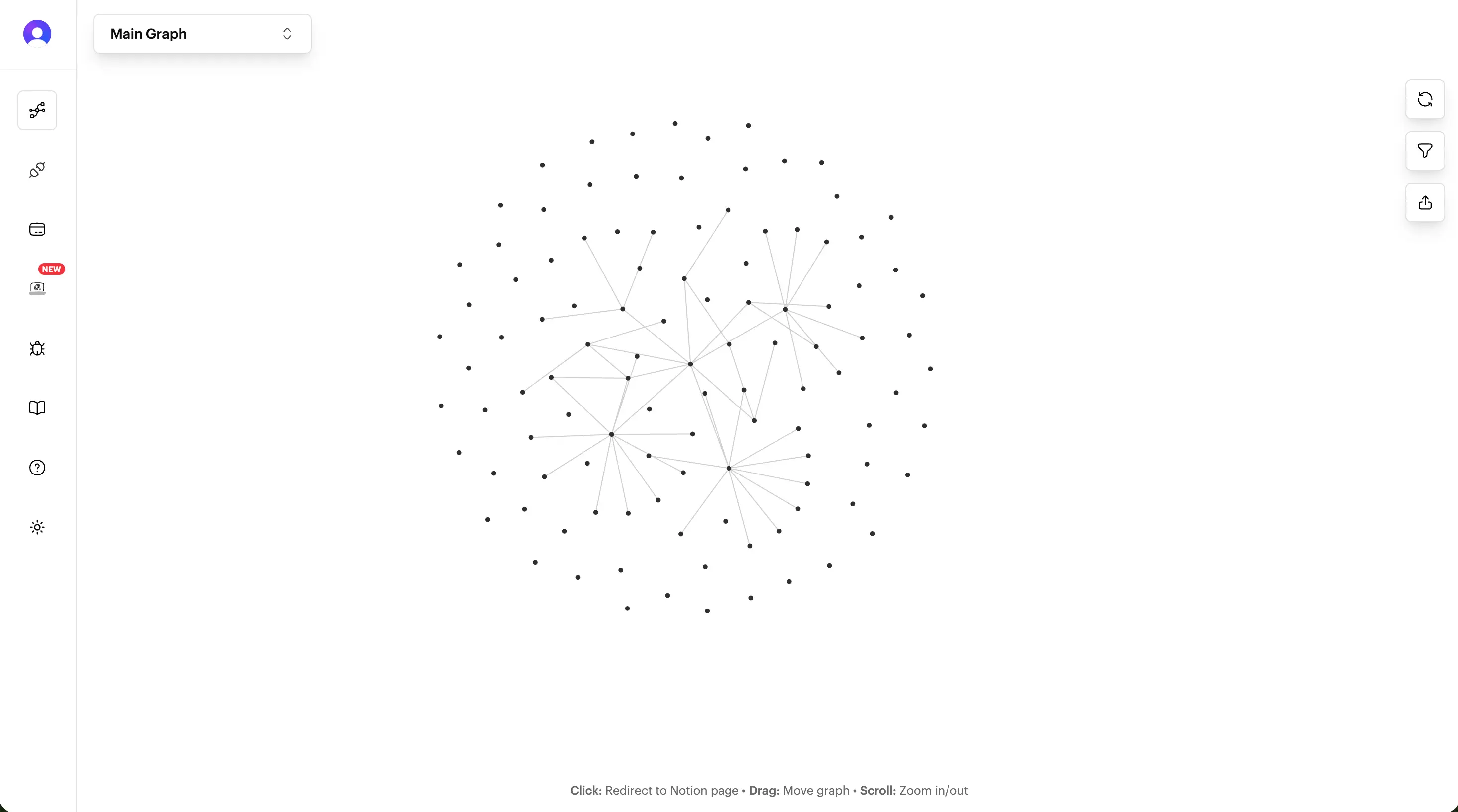
Nodes
A node is one Notion page, or one entry in a Notion database. It's labelled with the page title.
Links
A link is a line between two nodes. There are three kinds, and each has its own colour:
mentionYou typed @ and picked a page.relationTwo database entries are linked by a relation property.link to pageYou used Link to page, or pasted a link to a page.You make links in Notion, not in Graphify:
- Type
@and pick a page. That's a mention. - Connect two database entries with a relation property. That's a relation.
- Use
/link to page, or paste a link to a page. That's a link to page.
Both pages have to be shared with Graphify for the line to appear. A link pointing at a page Graphify can't see has nothing to connect to.
Why some pages sit on their own: A node with no links is an isolated node. It's not broken, just nothing points to it yet. You can hide isolated nodes if they get in the way.
Graphs
Your Main Graph holds everything Graphify has synced. It's always there, it needs no setup, and you can't delete it.
A Custom Graph is a saved slice of it. Pick some databases, add a few individual pages, give it a name.
Custom Graphs are a view, not a second copy of your data. Deleting one never touches anything in Notion.
Node groups
A node group paints a set of nodes in one colour so a theme jumps out of the picture. You define a group by searching for a word in page titles, or by picking nodes by hand.
Groups are saved per graph, so each Custom Graph keeps its own.
What Graphify never does
Graphify only reads. It never creates, edits, moves or deletes anything in your Notion workspace, and there's no setting that changes that. Notion stays the one place your content lives.
If you disconnect Graphify or delete your data, your Notion workspace is exactly as it was.
Still stuck? Tell us what you were doing when it went wrong.
hello@getgraphify.com